Product · Actoryx Agent Studio

From Any Data Source to a
Working AI Agent

Connect a database, CRM, REST API, or a folder of files. Agent Studio discovers the schema, generates a complete AI agent — API layer, MCP tool server, and chat interface — and deploys it to Docker. What used to take a sprint takes a guided wizard.
Salesforce, MongoDB, 9 SQL dialects, REST, files FastAPI or Spring Boot — your choice Multi-agent orchestration built in One-click Docker deploy

Our RootsBorn at IIT Hyderabad. Agent Studio was founded from within one of India's most rigorous engineering institutions, with IIT professors shaping the platform's architecture from day one — engineering problems solved properly, not shipped fast and fixed later.

How It Works

Five Steps. One Working Agent.

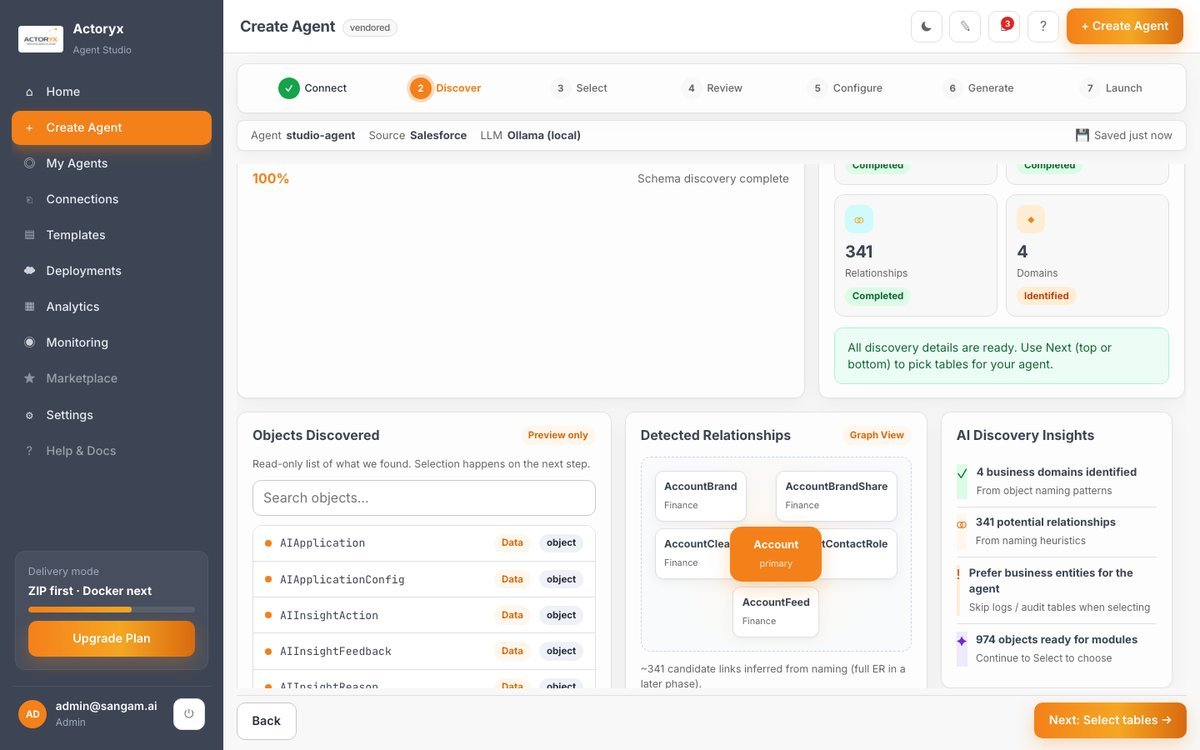
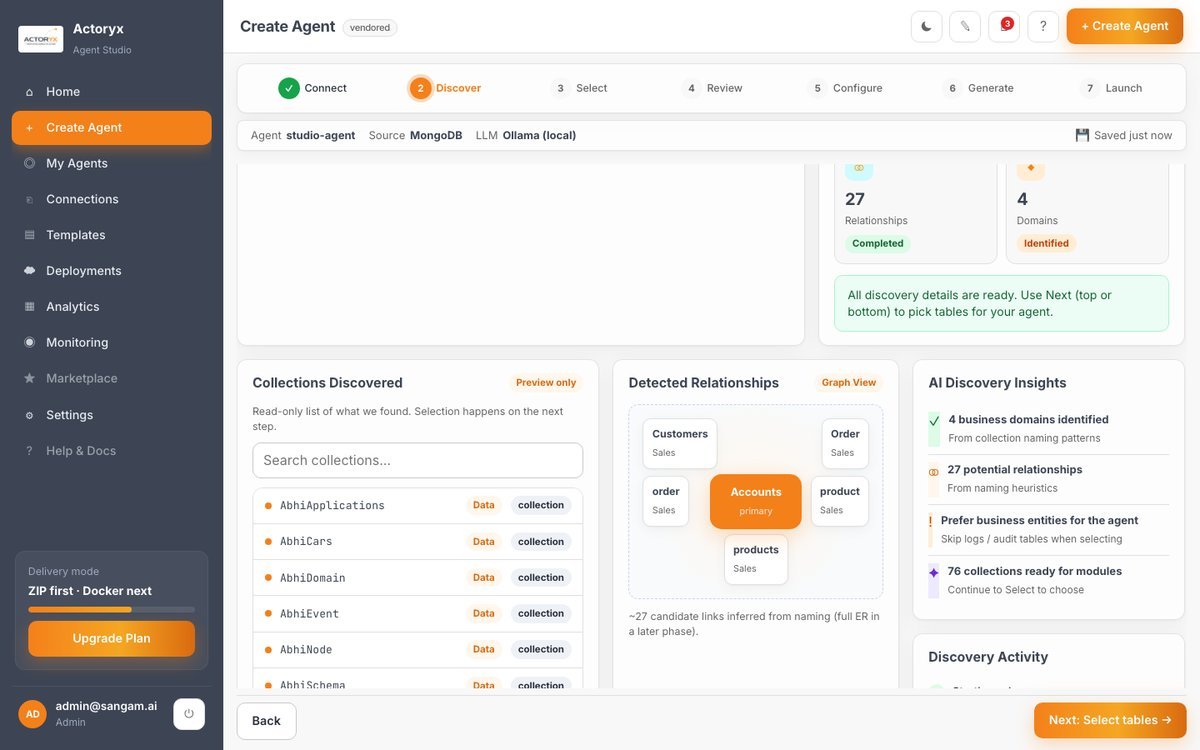
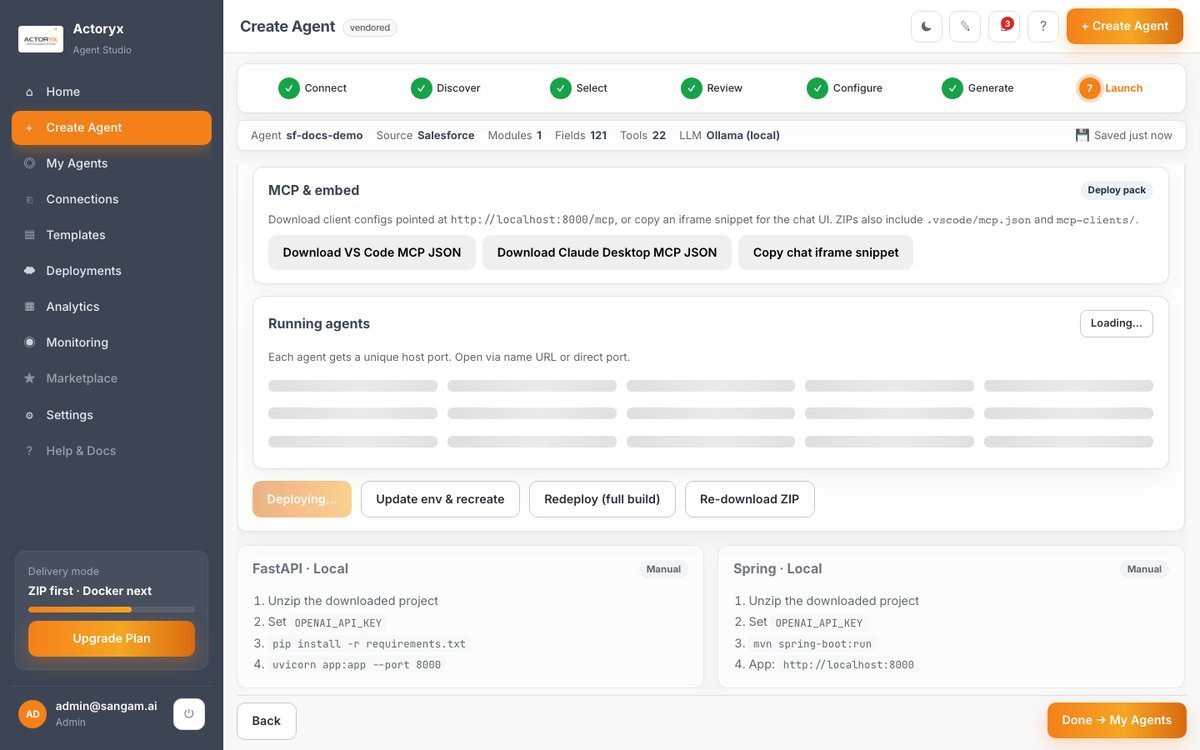
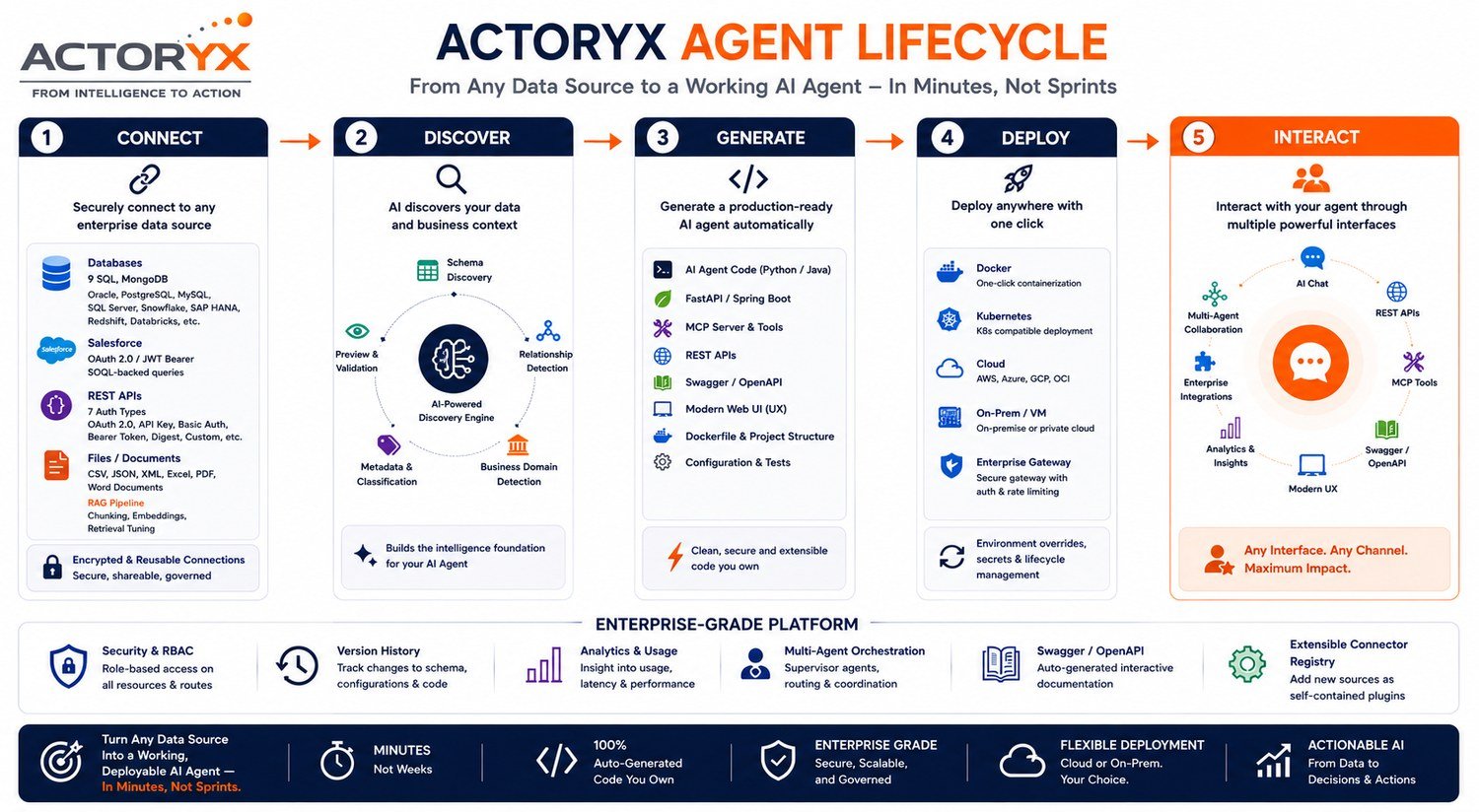
Connect → Discover → Generate → Deploy → Interact — the same guided flow, regardless of which data source you start from.

Actoryx Agent Studio lifecycle: Connect, Discover, Generate, Deploy, Interact

What's Built

Not a Prototype. A Real Platform.

🔌

Connectors

Postgres, MySQL, SQL Server, Oracle, SAP HANA, Snowflake, Databricks, Redshift, Azure SQL, MongoDB, Salesforce (OAuth + JWT Bearer), REST APIs (7 auth types), and file uploads through a dedicated RAG pipeline.

9 SQL dialectsMongoDBSalesforceRESTCSV/JSON/PDF/Word
💻

Codegen — Two Stacks

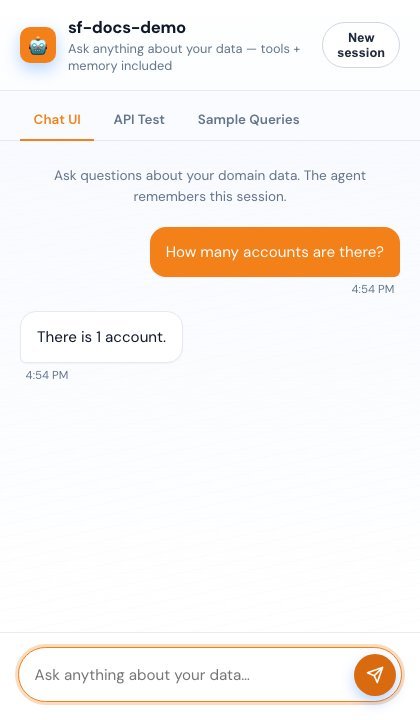
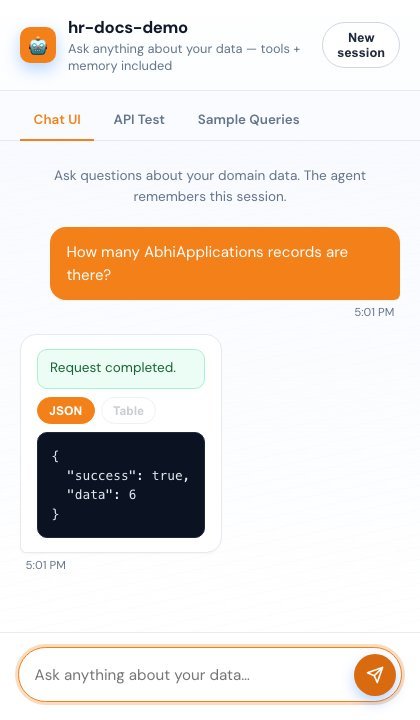
Every connector generates both a Python and a Java project: CRUD tools, search/filter/count/range-query tools, an MCP server, a plain REST API, Docker artifacts, and an optional chat agent with conversation memory.

FastAPI + FastMCPSpring Boot + Spring AI MCP
🔒

Enterprise-Ready

Encrypted, reusable saved connections. Role-based access — admin / developer / viewer — enforced on every route. Admin-password recovery with no hardcoded credentials. Per-agent version history over time.

RBACEncrypted secretsVersion history
🚀

Deployment

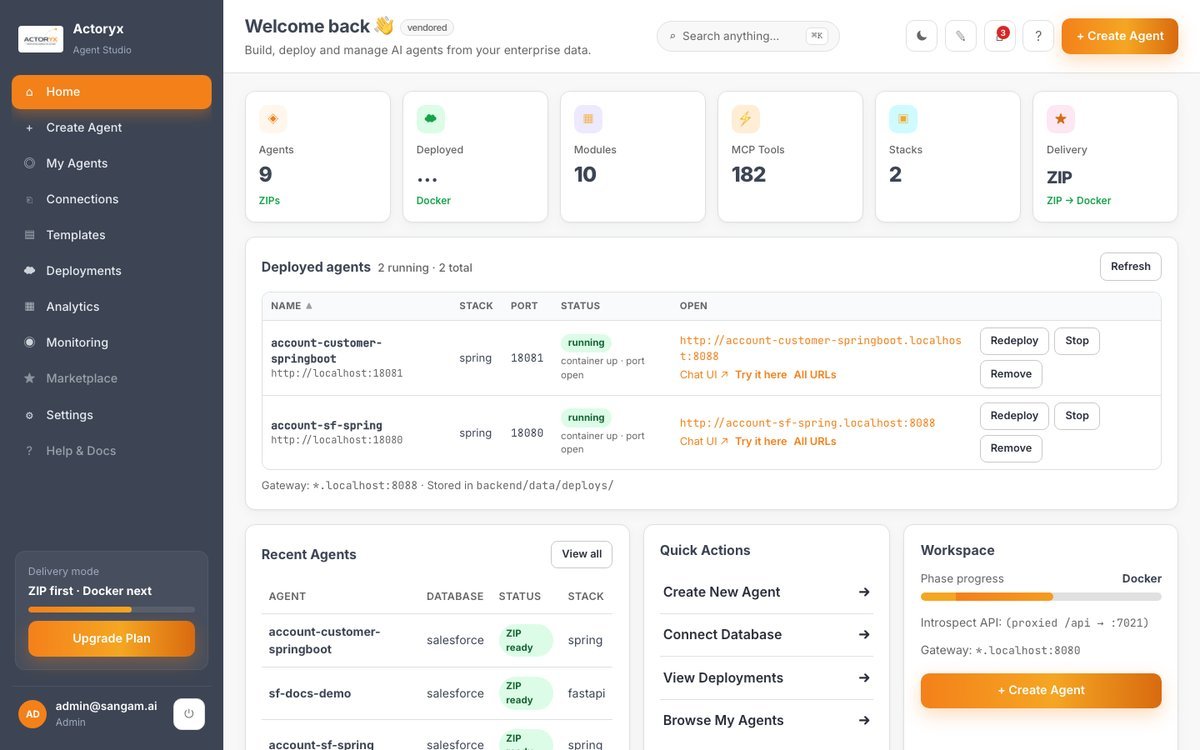
One-click Docker deploy with per-agent environment overrides, a redeploy/stop lifecycle, and a live chat playground to test a deployed agent before handing it off.

DockerShared gatewayLive playground

Connect to Anything

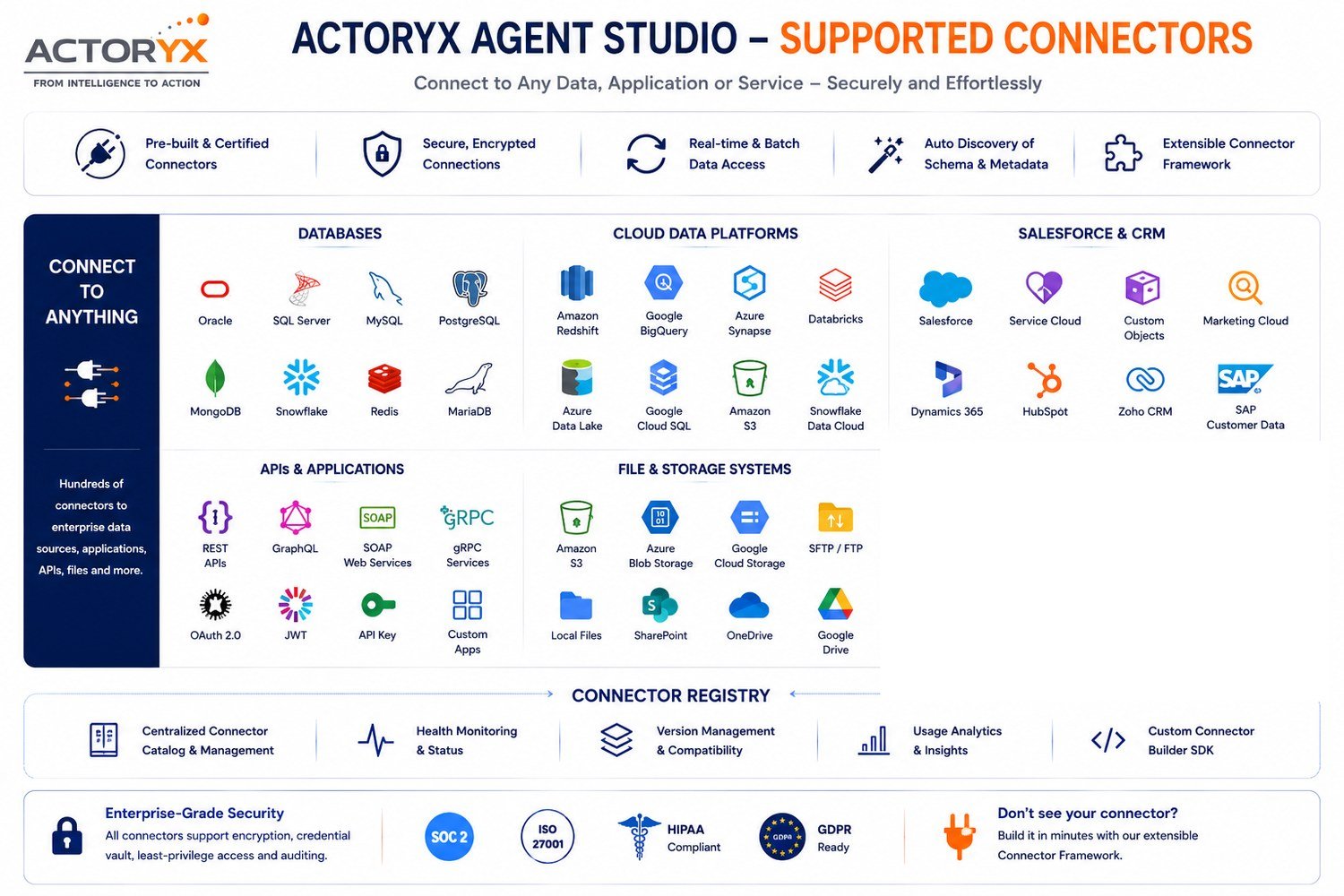
Every Data Source, One Wizard.

Actoryx Agent Studio supported connectors

Multi-Agent Orchestration

Select More Than One Object. Get a Team.

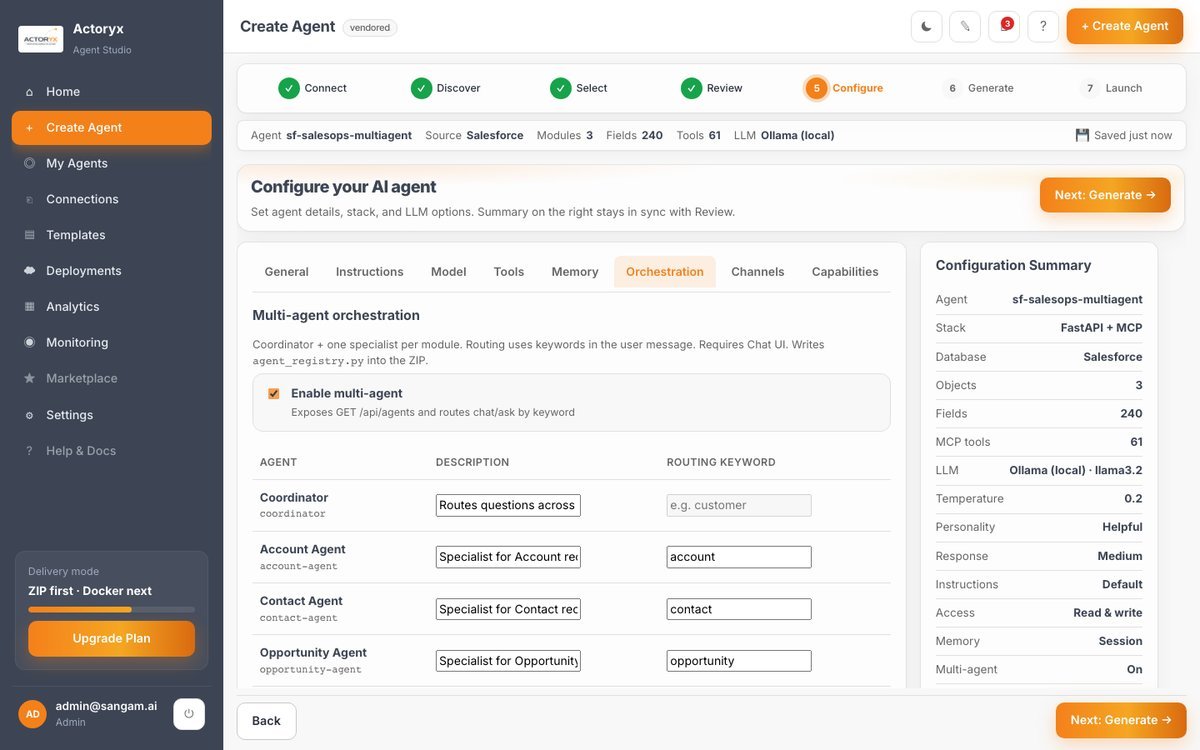
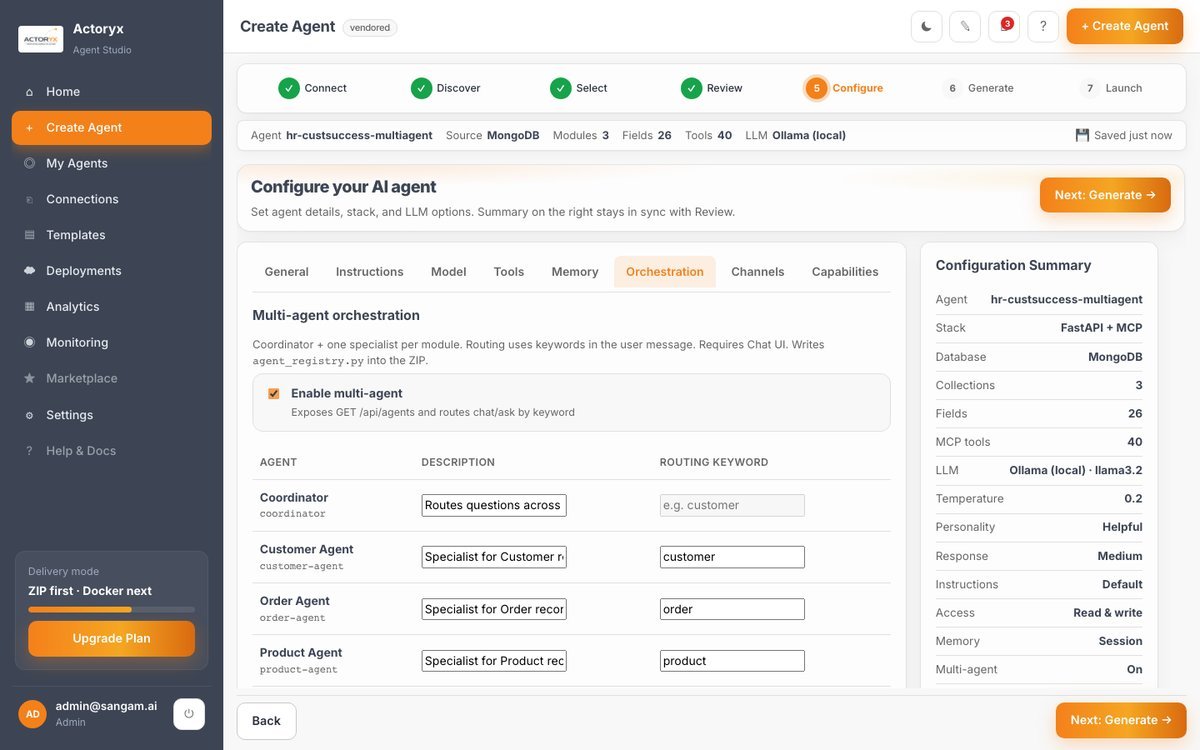
Enable multi-agent orchestration in Configure, and Studio auto-derives one Coordinator agent plus one specialist agent per selected object — each with its own system prompt and a routing keyword. At chat time, the generated router scans the question for a keyword match and hands it to that specialist; anything unmatched falls to the Coordinator. No orchestration code hand-written.

1 keyword
per specialist agent
Substring match
case-insensitive, no embeddings
Coordinator
handles anything unmatched

The same mechanism, proven against two unrelated live data sources — the registry table is generated by the product, not drawn for a slide.

Salesforce
Salesforce multi-agent registry — Coordinator, Account Agent, Contact Agent, Opportunity Agent
Account + Contact + Opportunity → Coordinator + 3 specialists, auto-generated.
MongoDB
MongoDB multi-agent registry — Coordinator, Customer Agent, Order Agent, Product Agent
Customers + Order + products → Coordinator + 3 specialists, auto-generated.

Why Actoryx

Own Your Agent. Own Your Code.

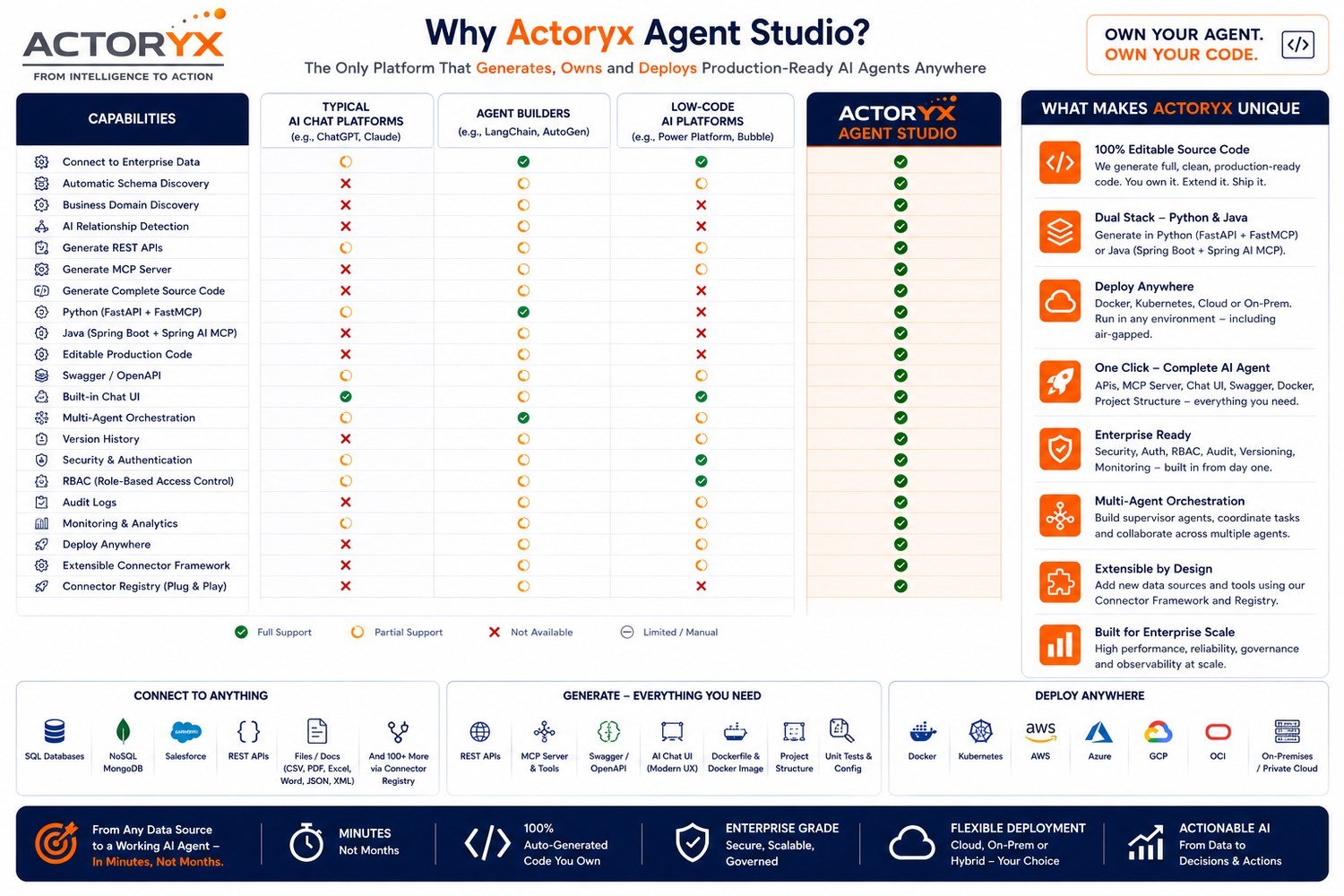
Most "connect your data to an LLM" tools stop at a single database and a single framework. Agent Studio is built around a connector-registry architecture — adding a new data source is a self-contained plugin, not a rewrite.

Why Actoryx Agent Studio — comparison with typical AI chat platforms, agent builders, and low-code platforms

Ready When You Are

Turn Your Data Into a Working AI Agent

Whether it's a Salesforce org, a Postgres database, or a folder of PDFs — Agent Studio connects, discovers, and deploys. Let's walk through it together.

Talk to Our Experts Download the Deck Actoryx_Agent_Studio.pptx · 21 slides